Homework FAQs
We want to ensure every parent/carer feels confident supporting their child’s learning at home. This section is designed to help you navigate our homework systems, access the student dashboard, and understand the platforms we use daily.
How does my child access their homework?
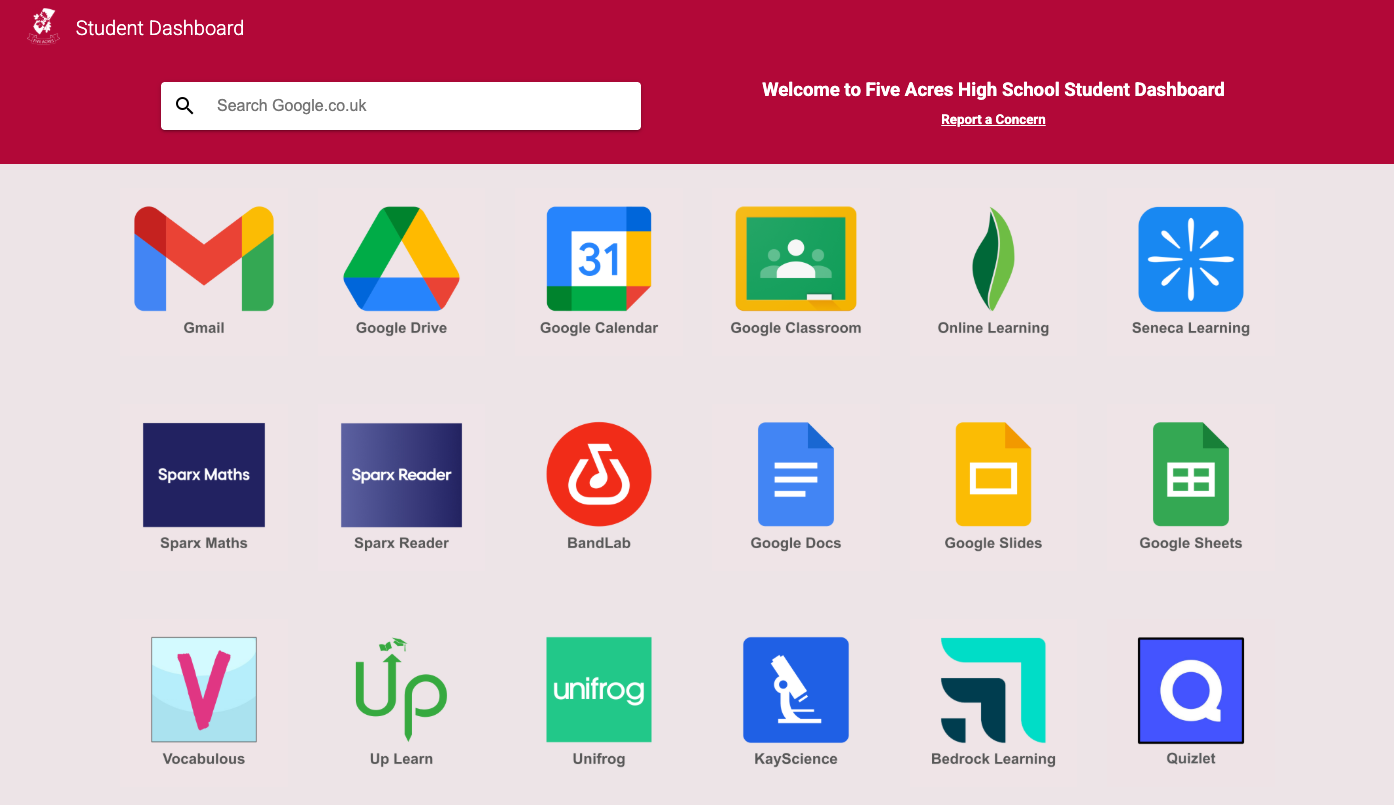
All students can access their homework platforms through the Five Acres Student Dashboard. This is the central hub for all student applications.
- Step 1: Have your child log in to Google using their school email and password.
- Step 2: Visit the Student Dashboard here.
- Step 3: Once on the dashboard, students should click on the icon to access their homework platform. For example, Sparx Maths and Sparx Reader.
How do students log in to Sparx?
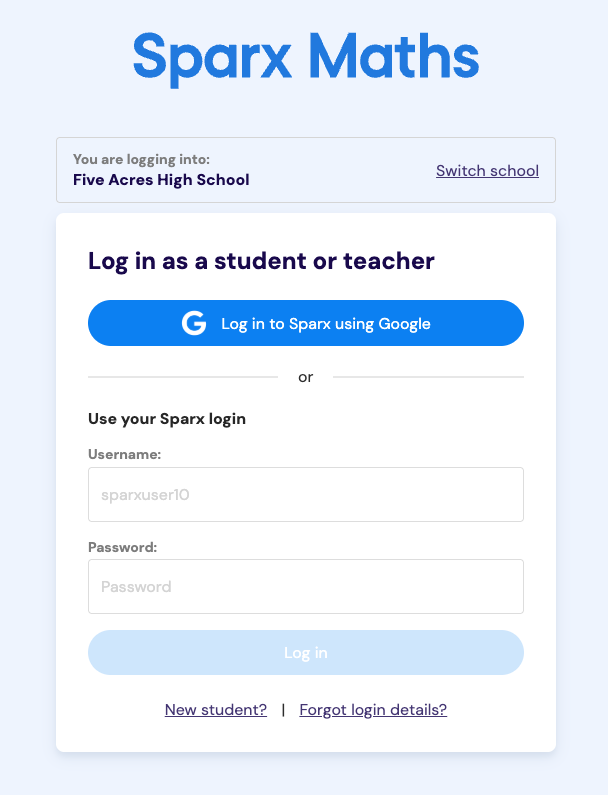
We have simplified the login process. Students do not need a separate username and password for Sparx; they can log in directly using their school Google credentials.
- Direct Login: You can go directly to the login page using this link.
- Instruction: When prompted, simply select "Log in to Sparx using Google" and use the student's standard school email and password.
Video Guides: How to use Sparx
To help you and your child get the most out of their homework, please watch the following video guides. These short clips explain how to navigate the platforms, complete tasks, and track progress.
Sparx Maths: Student Guide
Learn how to complete compulsory homework, use the "seek help" videos, and pass bookwork checks.
Sparx Reader: Student Guide
Learn how to select a book, complete reading tasks carefully, and earn points.